vanshikamunjal665-containerization-theory.github.io
Containerization Project 🐳
Dockerized Web Application using Node.js + Express + PostgreSQL with Docker Compose and Macvlan Networking.
📁 Project Structure
containerization-project-1
│
├── backend
│   ├── Dockerfile
│   ├── package.json
│   ├── package-lock.json
│   ├── server.js
│   └── .dockerignore
│
├── database
│   └── Dockerfile
│
├── docker-compose.yml
├── project-ss
│   └── screenshots
│
└── README.md
🎯 Objective
The objective of this project is to:
- Containerize a web application using Docker
- Use Node.js + Express as backend
- Use PostgreSQL as database
- Use Docker Compose for orchestration
- Implement Macvlan networking
- Verify container networking, volumes, and API functionality
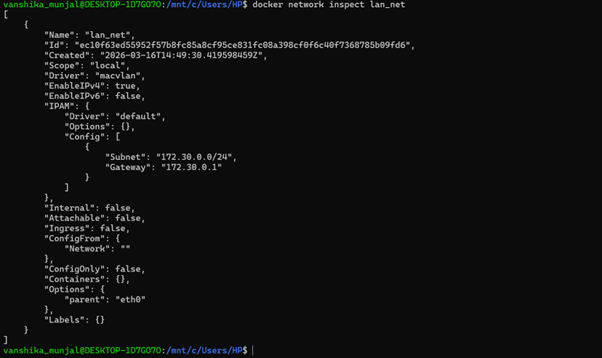
🌐 Step 1: Create Macvlan Network
docker network create \
--driver macvlan \
--subnet 172.30.0.0/24 \
--gateway 172.30.0.1 \
-o parent=eth0 \
lan_net

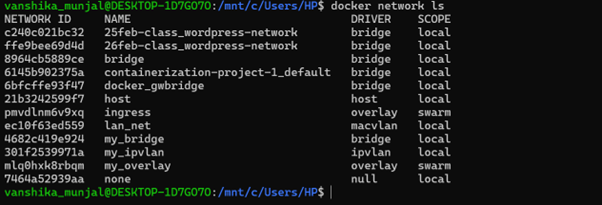
🌐 Step 2: List Docker Networks
docker network ls
🔍 Step 3: Inspect Macvlan Network
docker network inspect lan_net
🚀 Step 4: Build and Start Containers
docker-compose up --build
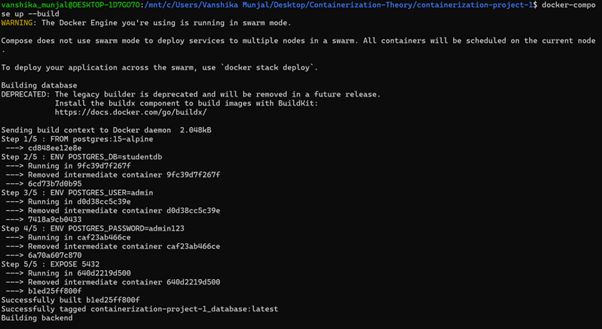
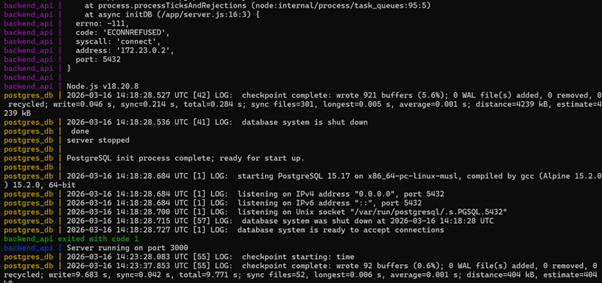
This confirms that the backend and PostgreSQL containers start successfully.
🐳 Step 5: Check Running Containers
docker ps

Running containers:
- backend_api
- postgres_db
🌐 Step 6: Inspect Docker Compose Network
docker network inspect containerization-project-1_default
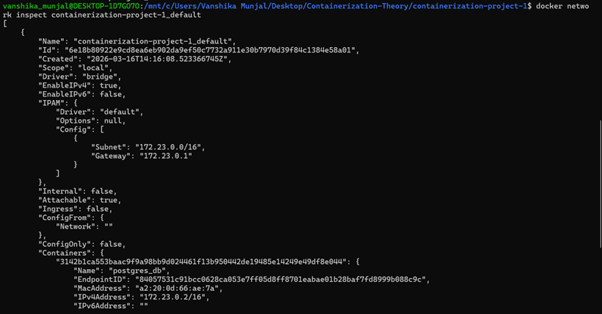
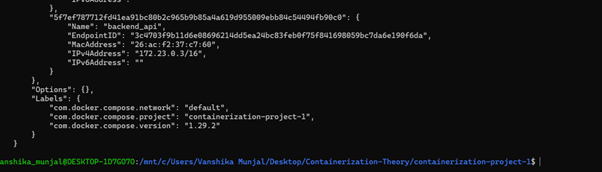
This shows the containers connected to the Docker network.
🔌 Step 7: Health Check API
Endpoint:
GET /health
Test in browser:
http://localhost:3000/health
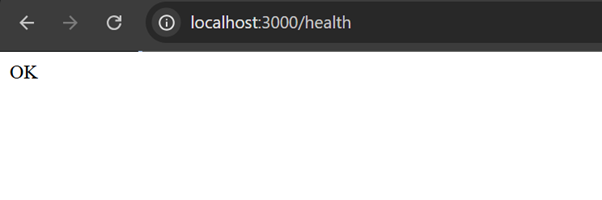
The response OK confirms the backend service is running.
➕ Step 8: Insert Student Record
curl -X POST http://localhost:3000/students \
-H "Content-Type: application/json" \
-d '{"name":"Vanshika","age":21}'

The student record is successfully inserted into PostgreSQL.
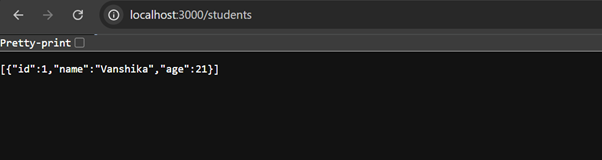
📥 Step 9: Fetch Student Records
curl http://localhost:3000/students

The inserted student record is retrieved successfully.
🌐 Step 10: Browser Testing
Students endpoint tested in browser:
http://localhost:3000/students
📡 Step 11: Verify Container IP Addresses
Backend container IP:
docker inspect backend_api | grep IPAddress

Database container IP:
docker inspect postgres_db | grep IPAddress

This confirms both containers are connected to the Docker network.
💾 Step 12: Persistent Storage Proof
docker-compose down
docker-compose up
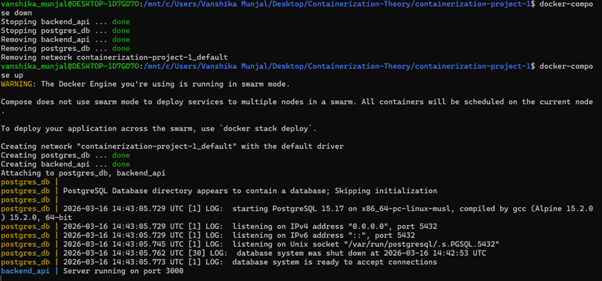
This confirms persistent storage for PostgreSQL data.
📦 Step 13: Docker Images
docker images
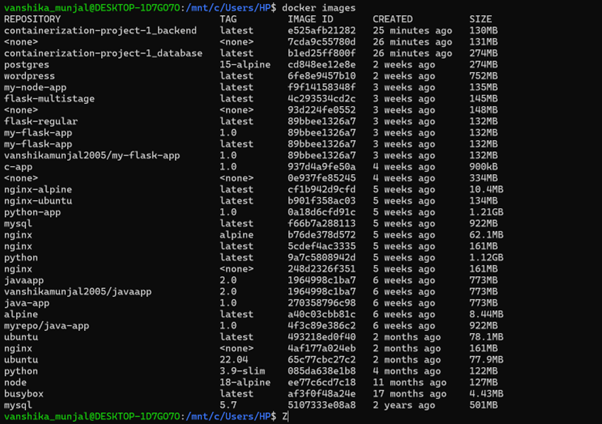
This shows the Docker images used in this project.
✔ Verification Summary
The following components were successfully verified:
- Macvlan network created successfully
- Docker containers built and running
- Backend API responding correctly
- PostgreSQL database connected
- Student record inserted using POST request
- Student records retrieved using GET request
- Browser API testing successful
- Container IP addresses verified
- Docker volumes created for persistence
- Docker images built successfully
👩💻 Author
Vanshika Munjal
SapId: 500121784
B.Tech – UPES