vanshikamunjal665-containerization-theory.github.io
CONTAINERIZATION AND DEVOPS THEORY
06 FEBRUARY 2026
SINGLESTAGE DOCKERFILES
Reference Link:
Screenshots of commands
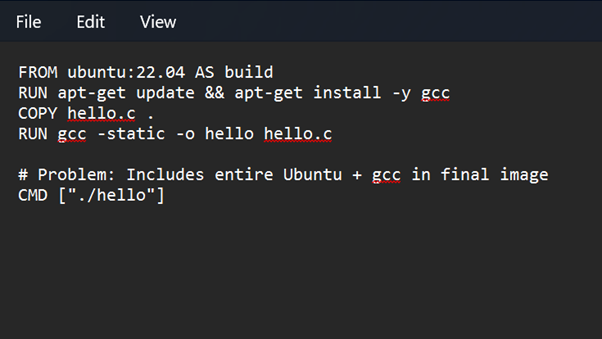
Dockerfile (Singlestage)
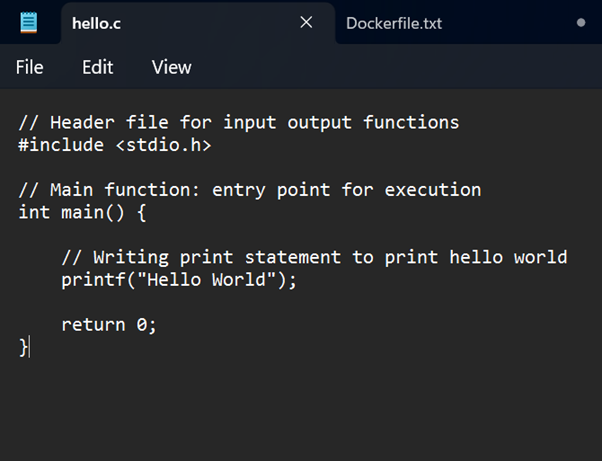
C Hello World Code
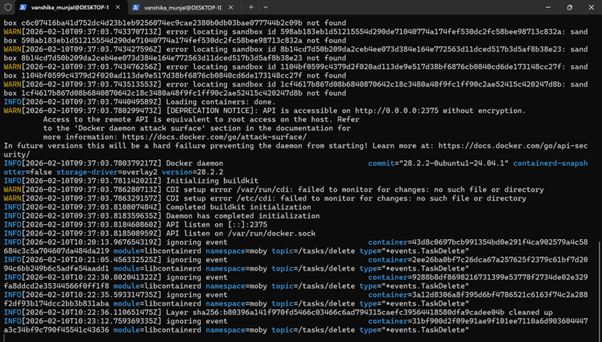
Running Demon
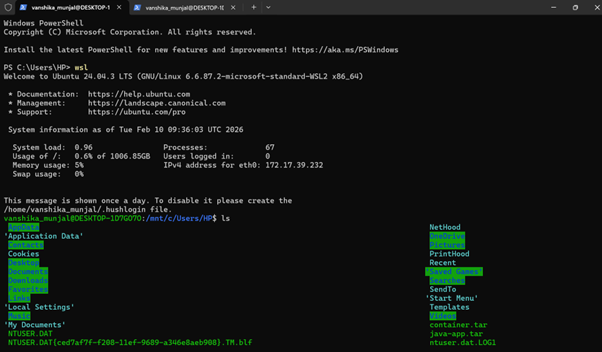
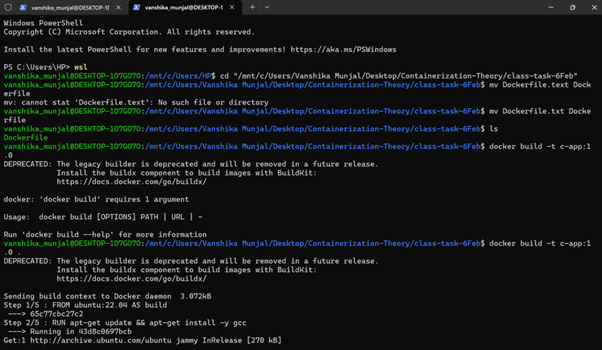
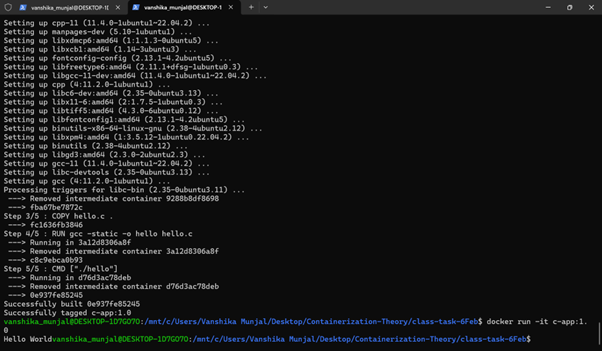
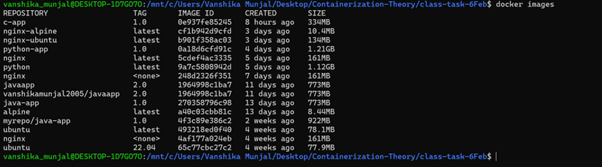
1. Enter wsl
wsl
2. Changing directory
cd "/mnt/c/Users/Vanshika Munjal/Desktop/Containerization-Theory/class-task-6Feb"
3. Renaming the file from Dockerfile.txt to Dockerfile
mv Dockerfile.txt Dockerfile
4. Building image from Dockerfile
docker build -t c-app:1.0 .
docker build → build an image from a Dockerfile
-t c-app:1.0 → tag the image
c-app = image name
1.0 = version
. → current directory contains the Dockerfile
So Docker looks for a file named Dockerfile in this folder.
5. Starting container
docker run -it c-app:1.0
Container starts CMD [”./hello”] executes
6. List all Docker images present on the system
docker images
Dockerfile Code Explanation
FROM ubuntu:22.04 AS build
Uses Ubuntu 22.04 as the base image and names this stage build.
RUN apt-get update && apt-get install -y gcc
Updates package lists and installs the GCC compiler inside the image.
COPY hello.c .
Copies the C source file from the host system into the container.
RUN gcc -static -o hello hello.c
Compiles the C program into a statically linked executable named hello.
# Problem: Includes entire Ubuntu + gcc in final image
Comment indicating that this approach results in a large image containing unnecessary build tools.
CMD ["./hello"]
Specifies the default command to run the compiled program when the container starts.
Conclusion
In a single-stage Docker build, the same image is used for both building and running the application, which makes the process simple but results in a large image size because the final image includes unnecessary components such as the operating system and build tools (e.g., GCC).